How private is your training journal? 6 questions to ask
In this article
A training journal is only as private as the place you keep it. Your coach should be able to read it when you share it with them, because that is part of what it is for. Who else can read it depends on where it lives, and the same goes for the notes you keep on opponents. A paper notebook, a notes app, a training app and a shared document each let different people in. The six questions below work for any of them. The last section gives OpponentBook’s answers.
Why it matters who reads your journal
A training journal records your sessions, your effort and how your body and head are doing: sleep, a niggle that keeps coming back, a flat week before a competition. It is written for you, and for your coach if you have one. Your coach may ask to see it every week or every month, and can only plan around what it shows. So it should show the real picture, and people are only fully honest with readers they trust.
Opponent notes describe other people, which raises two problems:
- You are likely to meet them again. In individual sports, opponents are often clubmates, training partners or juniors you help coach. A note written to prepare for a match, such as “gets impatient in long rallies”, reads differently to the person it describes.
- Scouting is worth less once the other side knows about it. A note that gets passed around your club or a group chat can reach them quickly.
Six questions to ask about any journal
1. Is anything shared or public by default?
Some apps are built around sharing, with feeds, followers, team spaces or shared folders. That suits a workout you want to show off. It does not suit a page on your next opponent. Check:
- who can see a new entry by default, and how much of it
- who in a team or club space can see your entries
- whether a shared folder or document opens for anyone who has the link
2. Can the company behind the app read your notes?
If a service keeps readable copies of your entries on its own servers, people at that company could technically open them, even if its policy says they will not. Check:
- whether it stores your entries, or only what it needs to run your account
- what its privacy policy says it does with what it stores
3. Where are your notes stored, and who can read them there?
Notes saved in Google Drive, Dropbox, iCloud or another cloud service are protected like your other files there, but the provider can technically read them unless they are end-to-end encrypted. With end-to-end encryption, your entries are encrypted on your device before upload, so the provider cannot read them. Where an app offers it, check:
- what the encryption covers and what it leaves out, such as photos or file names
- what happens if you forget the password
4. What happens when you use AI?
Whether you tap an AI button in an app or paste notes into a chatbot, the text goes to an AI provider to be processed, unless the AI runs on your device itself. Check:
- whether AI runs only when you ask, or reads your entries in the background
- whether your text and the reply are kept afterwards, and for how long
- whether your entries can be used to train AI models
- whether you can switch AI off
5. How do you share with your coach?
You can send your coach a file, or give them access. The two work differently:
- You send a file. Your coach sees only what is in it. Once it is sent, whoever has it can keep it or forward it, like any document you email.
- You give access. Your coach sees whatever your account or shared workspace shows them, for as long as the access lasts. Check what that access includes and how to end it.
Opponent notes need a narrower circle. Share them one opponent at a time, and only with the people preparing with you.
6. What if someone picks up your phone or notebook?
A paper notebook can be read by whoever picks it up. An app without a lock of its own is only as private as your phone’s lock screen. Encryption protects files in the cloud, not a phone that is already unlocked. Set your phone to lock itself soon after you put it down.
How OpponentBook answers the six questions
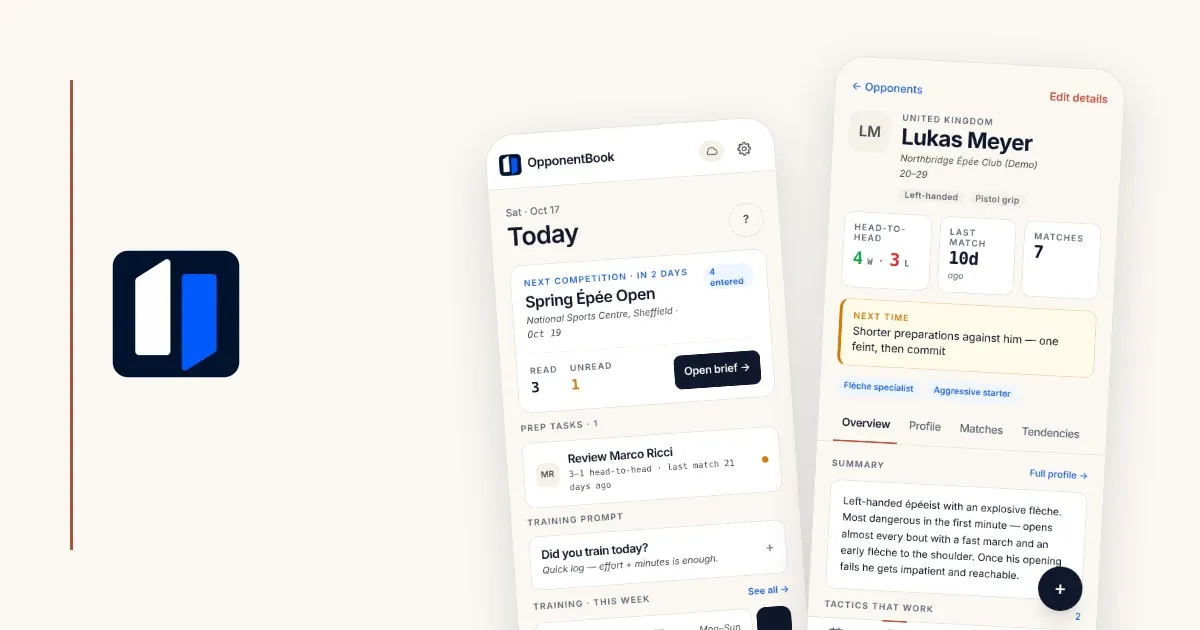
OpponentBook puts an opponent book and a training journal in one app. Here is where it stands on each question.
1. Is anything shared or public by default? No. There is no feed or public profile, and there are no coach accounts. No one can open your journal from their own account. To show someone your journal, you export a file and send it yourself (see point 5).
2. Can we read your notes? We do not keep a copy of your journal in our account database. What we handle is service information:
- your account, subscription and usage information
- the minimal index and settings the app needs, such as IDs, dates and sport tags
Content you send to AI does pass through our servers, as point 4 explains.
3. Where are your notes stored? Your journal lives on your device. Where else it goes is up to you:
- No cloud connection: it stays on that device, with no cloud backup or sync. Save a backup file if you want a separate copy.
- Google Drive, Dropbox or iCloud: you get cloud backup, and any other device you connect to the same storage account shows the same journal. iCloud is not available in the Android app.
Your storage provider can technically read your journal files. If you do not want even your provider to be able to read them, you can turn on end-to-end encryption (E2EE). Your journal records are then encrypted on your device with AES-256-GCM before upload. E2EE does not currently cover photos or video, and your provider can still see file metadata such as names, sizes and timestamps.
If you turn it on:
- Either your encryption password or your recovery code unlocks your records, and neither is sent to us.
- The recovery code is shown only once, so store it somewhere safe.
- If you forget the encryption password, the recovery code still unlocks your records. If you lose both, neither OpponentBook nor your storage provider can restore the encrypted records.
- Resetting your account password does not reset the encryption password.
4. What happens when you use AI? AI runs only when you ask for something specific, such as an opponent summary, a competition brief or dictation. Nothing scans your journal in the background.
- Where the text goes: the content needed for your request passes through an OpponentBook server to an external AI provider.
- Afterwards: we do not keep that content or the AI reply on our servers. Results you save go to your storage. Our Privacy Policy describes the AI provider’s own data handling and retention terms.
- Your training journal: on Pro and Max, when you request the evolution analysis, it reads your training journal only if you tick “Include training journal”.
- Switching AI off: “Disable AI features” in Settings → Privacy stops all AI, dictation included. Your plan’s other features keep working.
5. How do you share with your coach? You export a PDF or Word file on your device and send it yourself. What the file contains depends on what you export:
- A training period: every training journal entry from the dates you choose. If you use a training plan in the app (Premium and above), the file also includes the plan and a week-by-week comparison of planned and logged sessions. Opponent notes are not included.
- An opponent: everything you have recorded about them, including your notes from every match against them.
6. What if someone picks up your phone? If it is unlocked, they can open the app and read your journal. Your lock screen is what protects it.
Before you write your next entry
Tonight, take a few minutes to look at wherever you keep your notes now:
- Open its sharing or visibility settings and see who your next entry would reach.
- Find out what happens to text you send to its AI features or paste into a chatbot.
- Set a short auto-lock time on your phone.
If OpponentBook’s answers are the ones you want, you can keep your opponent book and training journal side by side in the app, and both are free. The privacy page lists what is stored where, and the help center covers each setting.
Start a free journal, and write your next entry in full while it is still fresh. The article on match memory explains why writing soon can help.